
Why do we request the most complete IFC model?
In order to get full value for our products, we require the most complete IFC data model to ensure smooth integration and accurate use of steel fabrication shop models. When exporting from detailing software such as Tekla or SDS2, improperly configured export settings can result in missing or incomplete information. Important data, such as assembly hierarchy, piece marks, element names, zones, sequences, and weight, may be missing or incomplete.
Providing a fully detailed IFC model ensures that we can accurately configure, integrate, and optimize the project in the control center and our other products.
General Requirements for IFC export
- Export type
- Coordination View 2.0 (IFC2x3 format)
Property sets
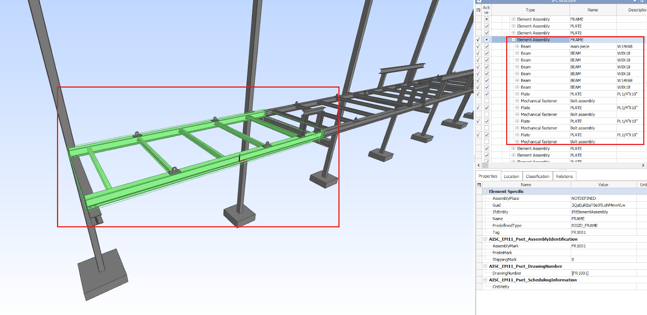
- Assembly Hierarchy export - Correct representation of the fabrication structure hierarchy.
- Assemblies should include elements below the IfcElementAssembly:
- Main part
- Secondary parts
- connection objects (Bolts, welds, Anchor, etc.)
- Assemblies should include elements below the IfcElementAssembly:
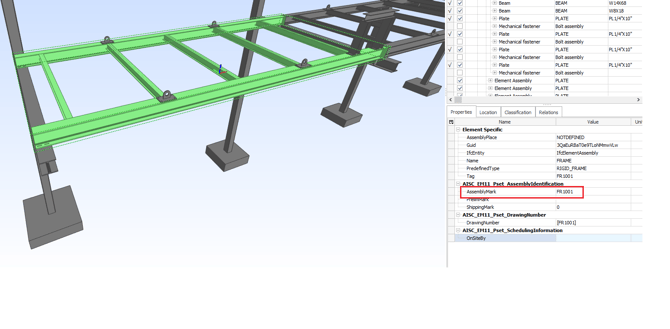
- Assembly Mark - The identification mark of the assembly.
- The Assembly mark should be the name that is used for the BOLs
- known attribute/UDA. For example-
- AssemblyMark
- ASSEMBLY_MARK
- Assembly/Cast unit Mark
- ASSEMBLY_POSITION
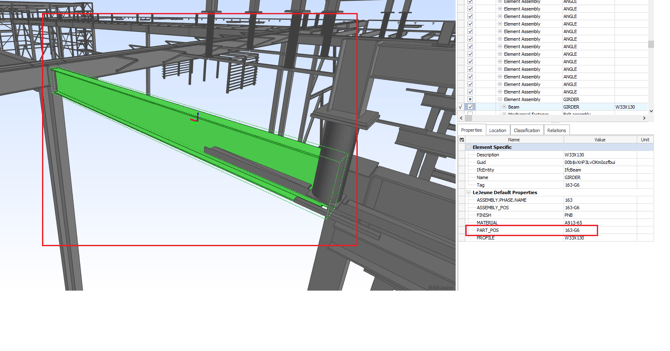
- Piece Mark - The identification mark of each element/part (Main, secondary, connections).
- Each part should include its piecemark and the assembly piecemark of the IfcElementAssembly it belongs to.
- The Piecemark/assembly mark should be the name that is used for the BOL's
- known attribute/UDA. For example–
- PART_POSITION
- Mark
- Reference
- Tag
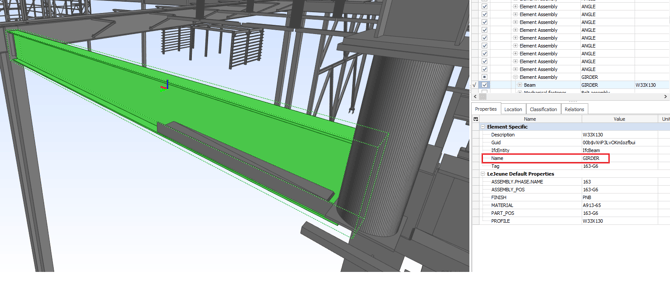
- Type Element - Classification of objects in the fabrication model
- Usually- Name or Type. For Example-
- Moment Beam
- Girder
- Usually- Name or Type. For Example-
- Zones and Sequences
- Zone assignment
- Attribute (UDAs): Zone or Lot
- Sequence assignment:
- Attributes (UDAs): SEQUENCE, ERECTION_SEQ, Phase (.etc)
- Zone assignment
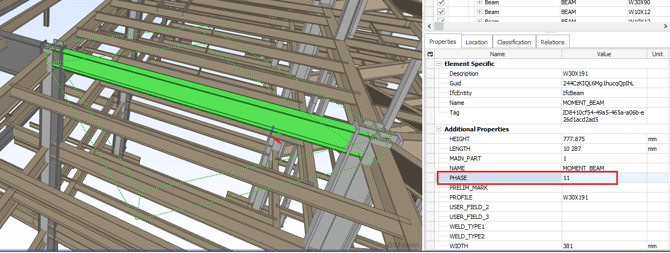
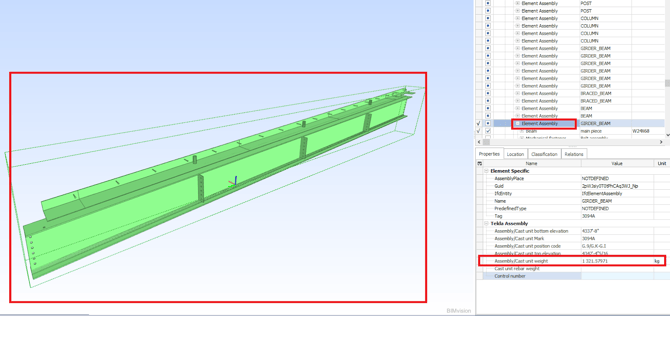
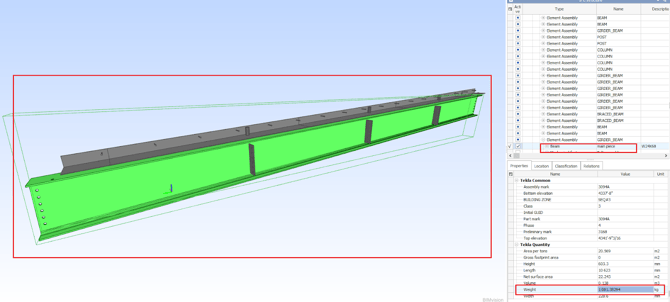
- Parts and assemblies' weight - Each element, both assemblies and parts, should include its actual weight.
- Including UDAs of-
- Part weight (main, secondary)
- Assembly weight
- Including UDAs of-
- Material grade - The material property assigned to it, as shown in the BOLs
- Usually under Materials or Grade
- Grids
- Export the model with the visible grids.